A maintenance technician steps into a manufacturing plant to repair a jammed conveyor. The machine appears off. No one checks the lockout tagout log. No lock is in place. He reaches in—and the system powers on remotely. The result: a life-altering injury.
This isn’t hypothetical. It happens. And in nearly every case, a missing or poorly managed lockout tagout log is a root cause.
The lockout tagout log PDF isn’t just paperwork—it’s a legal record, a communication tool, and a frontline defense against preventable harm. Yet many facilities still use disorganized spreadsheets, handwritten binders, or no logs at all. A standardized, accessible LOTO log PDF fixes that. It ensures every energy source is accounted for, every worker is informed, and every action is traceable.
This guide delivers practical templates, real-world use cases, and field-tested strategies for creating and using an effective lockout tagout log in PDF format.
What Is a Lockout Tagout Log PDF?
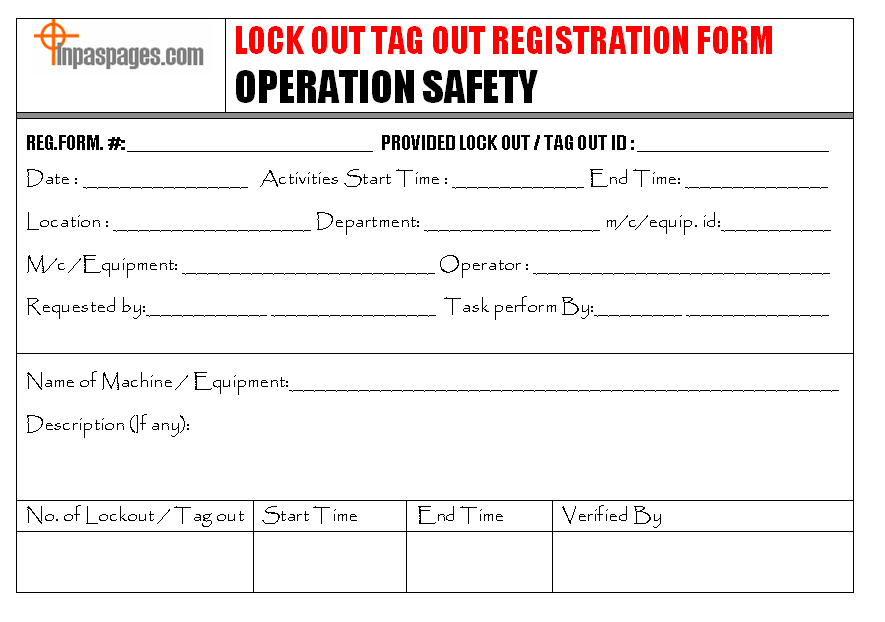
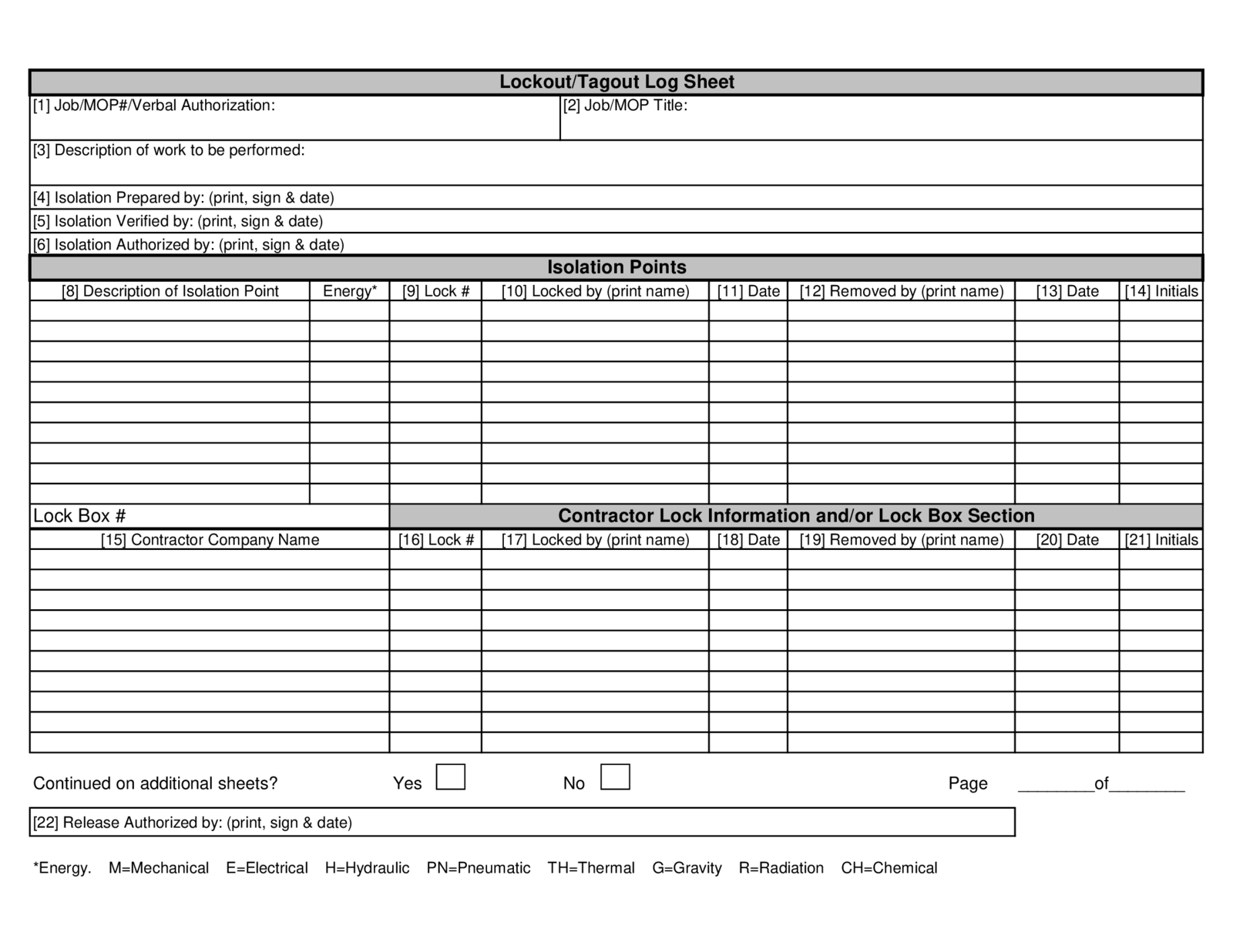
A lockout tagout log PDF is a digital, printable document used to record all lockout tagout (LOTO) activities within a facility. It logs when machines are shut down, who applied locks and tags, what energy sources were isolated, and when systems were safely re-energized.
Unlike dynamic software or cloud systems, a PDF version offers simplicity. It’s universally compatible, printable, and doesn’t require special software—making it ideal for small operations, temporary tasks, or backup documentation.
The log typically includes: - Date and time of shutdown - Equipment ID/name - Authorized employee name - Type of energy controlled (electrical, hydraulic, pneumatic, etc.) - Lock/tag ID numbers - Reason for maintenance - Time of re-energization - Supervisor verification
It’s not just a form—it’s a legal document that can protect your company during OSHA audits or incident investigations.
Why Your Facility Needs a Standardized LOTO Log
Relying on memory, verbal handoffs, or ad hoc notes is a compliance and safety time bomb.
A standardized lockout tagout log PDF eliminates ambiguity. Every technician, supervisor, and contractor sees the same structure, ensuring consistency across shifts and departments.
Real-World Example: The Forgotten Hydraulic Line
At a Midwest food processing plant, a maintenance team shut down a packaging line. They locked out the electrical panel but failed to log the action. Another crew, unaware of the work, re-energized the line during shift change. The machine cycled—activating a hydraulic arm that injured a technician.
An investigation revealed no formal log. No one had documented which energy sources were isolated. The lack of a centralized, accessible record directly contributed to the accident.
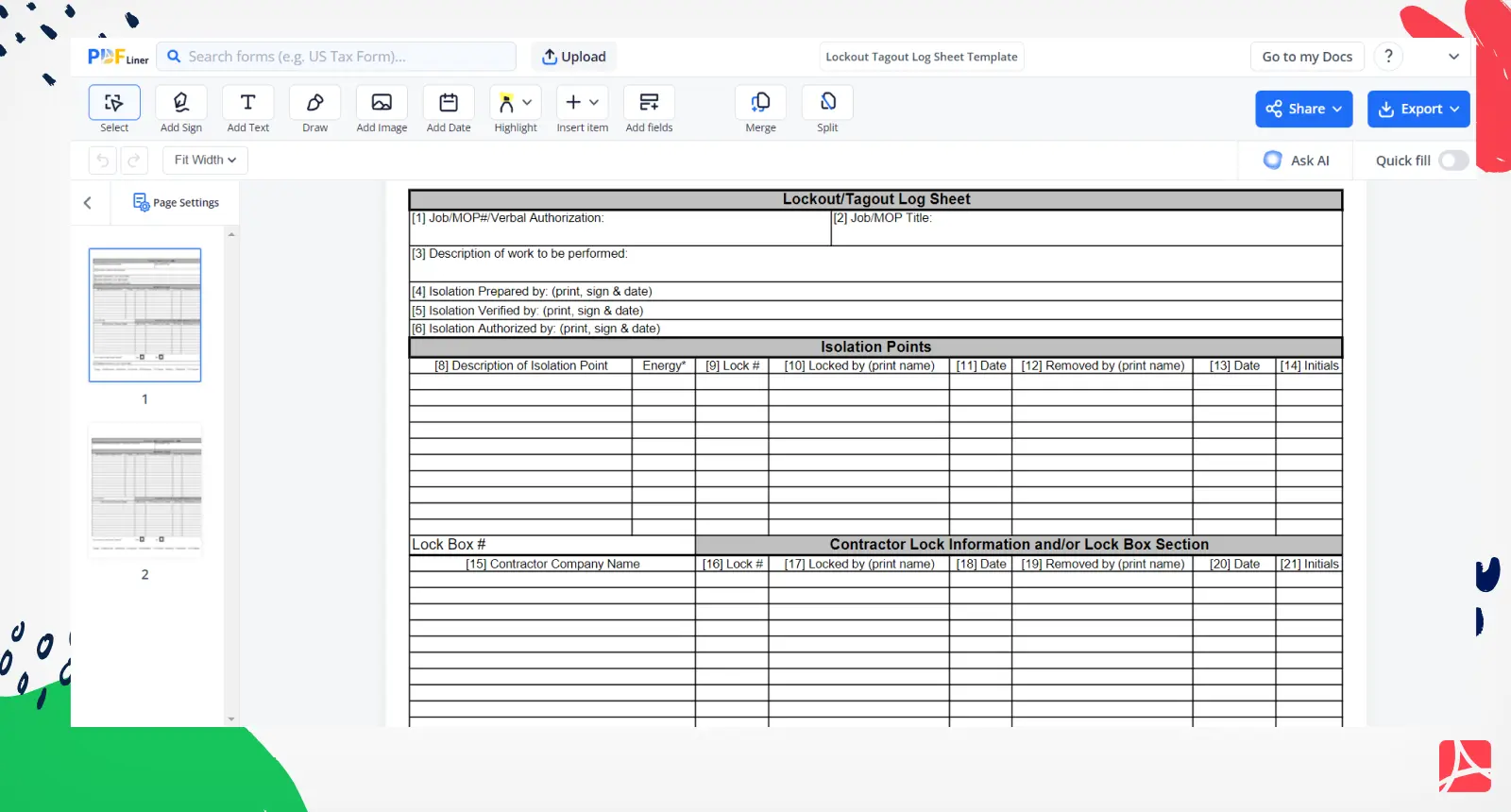
A simple LOTO log PDF would have: - Listed all energy sources, including hydraulics - Required sign-off from the authorized employee - Been visible to the next shift - Prevented unauthorized re-energization
This isn’t about bureaucracy. It’s about creating a paper trail that protects people.
Key Elements of an Effective LOTO Log PDF
A good lockout tagout log PDF isn’t just a checklist. It’s a living document designed for real-world use. Here’s what must be included:
| Field | Purpose | Example |
|---|---|---|
| Date & Time (Start) | Tracks when isolation began | 04/10, 08:15 AM |
| Equipment Name/ID | Identifies the machine | Conveyor Line B, Pump #3 |
| Authorized Employee | Assigns responsibility | John Ruiz, ID#729 |
| Energy Sources Isolated | Lists all types controlled | Electrical, Pneumatic |
| Lock/Tag IDs Used | Identifies physical devices | Lock #B7, Tag #114 |
| Nature of Work | Explains the task | Bearing replacement |
| Time & Initials (Restart) | Confirms safe re-energization | 10:42 AM, J.R. |
Pro Tips for Design:
- Use drop-downs or checkboxes in digital versions to reduce errors
- Leave space for handwritten initials if printed
- Include a witness or supervisor sign-off field for high-risk tasks
- Add a remarks section for special warnings (e.g., “Do not re-energize until calibration complete”)
Avoid clutter. The log must be fast to complete during shutdowns but detailed enough for audits.
Common Mistakes That Undermine LOTO Logs
Even with a PDF template, mistakes happen. Here are the most frequent—and fixable—errors:
1. Blank or Incomplete Fields Leaving the energy source or employee name blank turns the log into a liability. Incomplete logs offer zero protection during inspections.
Fix: Train workers that a log is invalid if any required field is missing. Enforce completion before starting work.
2. Using the Same Log for Multiple Machines One log per machine per shutdown. Grouping several devices on a single entry creates confusion and increases risk.
Fix: Design your PDF with one record per page or a clear separator between entries.
3. Failing to Archive Logs
Many teams fill out logs but never store them. If a fatality occurs weeks later, and the log is missing, OSHA can cite you for non-compliance.
Fix: Implement a 1-year minimum retention policy. Use a labeled binder or digital folder with date-based naming (e.g., “LOTO_Log_April2025.pdf”).
4. Not Reviewing Logs During Shift Changes Night crews often assume no work is in progress. Without checking the LOTO log, they may unknowingly restart equipment.
Fix: Add a shift handover section to your PDF where outgoing supervisors note active lockouts.
Free Lockout Tagout Log PDF Templates You Can Use Today
You don’t need to build from scratch. Here are five reliable, downloadable LOTO log PDF templates:
- OSHA-Compliant Daily LOTO Log
- - Clean, single-page layout
- - Includes space for 5 energy sources
- - Ideal for small workshops

- Multi-Employee Lockout Tracker
- - Designed for team maintenance
- - Multiple lock/tag rows
- - Supervisor sign-off block
- Industrial Equipment LOTO Log
- - Heavy-duty format with equipment schematics
- - QR code field for linking to LOTO procedures
- - Best for manufacturing plants
- Printable Weekly LOTO Register
- - 7-day grid layout
- - Highlights overlapping tasks
- - Useful for facilities with frequent PMs
- Customizable Digital LOTO Log (fillable PDF)
- - Editable fields
- - Auto-timestamps (if used with Adobe)
- - Exportable for audits
✅ Tip: Always add your company name, site location, and safety manager contact info to the header.
These templates are available from occupational safety portals like SafetyNow, Creative Safety Supply, and OSHA’s official resource library. Search “free lockout tagout log PDF” to download.
How to Implement a LOTO Log PDF System in 4 Steps
Adopting a lockout tagout log PDF requires more than printing forms. It needs process integration.
Step 1: Customize the Template Modify the PDF to match your equipment list and workflow. Add internal IDs, common energy types, and required approvals.
Step 2: Train Authorized Employees Conduct hands-on sessions. Show workers how to:
- Locate the correct log
- Fill every field
- File or submit the completed PDF
Use a real shutdown scenario for practice.
Step 3: Place Logs Strategically Print copies and place them:
- At main electrical panels
- In maintenance offices
- On clipboards near high-risk machines
For digital use, store the PDF on shared drives with clear folder names.
Step 4: Audit Weekly Assign a safety officer to review logs every Friday. Check for: - Missing entries - Inconsistent lock IDs - Unapproved re-energizations
Correct issues immediately.
When a PDF Log Isn’t Enough: Knowing the Limits
A lockout tagout log PDF works well—but it has boundaries.
Situations Where PDFs Fall Short:
- High-volume facilities with 50+ daily lockouts—paper logs become unmanageable
- Multi-site operations needing real-time visibility
- Contractor-heavy environments requiring digital access and tracking
In these cases, consider upgrading to a digital LOTO management system with cloud sync, mobile access, and automated alerts.
But for most small to mid-sized operations, a well-designed PDF log is not just sufficient—it’s optimal. It avoids complexity, reduces training time, and meets compliance standards.
The Bottom Line: Your LOTO Log PDF Is a Lifesaving Tool
A lockout tagout log PDF is more than a record. It’s a silent supervisor—always watching, always reminding, always protecting.
It stops assumptions. It replaces guesswork with accountability. And when disaster strikes, it provides a clear, defensible trail of due diligence.
Don’t wait for an incident to adopt one. Download a template today. Customize it. Train your team. And make LOTO logging as routine as wearing a hard hat.
Because in industrial safety, the simplest documents often prevent the worst outcomes.
Frequently Asked Questions
What should be included in a lockout tagout log? A complete log includes the date, equipment name, authorized employee, energy sources isolated, lock/tag IDs, work description, and re-energization time with initials.
Can I use a handwritten LOTO log instead of a PDF? Yes, but a PDF ensures consistency and legibility. Handwritten logs must be equally detailed and stored securely.
How long should LOTO logs be kept? OSHA recommends retaining logs for at least one year, or longer if involved in an incident or audit.
Who is responsible for filling out the LOTO log? The authorized employee performing the maintenance is responsible for accurate completion.
Is a PDF log sufficient for OSHA compliance? Yes, as long as it captures all required information and is accessible during inspections.
Can I edit a LOTO log PDF after it’s filled out? No. Once completed, the log is a legal record. Edits invalidate its integrity. Use a new entry for corrections.
Where should the LOTO log be stored? It should be kept in a secure, accessible location—either a labeled binder onsite or a password-protected digital folder.
FAQ
What should you look for in Lockout Tagout Log PDF: Free Templates & Best Practices? Focus on relevance, practical value, and how well the solution matches real user intent.
Is Lockout Tagout Log PDF: Free Templates & Best Practices suitable for beginners? That depends on the workflow, but a clear step-by-step approach usually makes it easier to start.
How do you compare options around Lockout Tagout Log PDF: Free Templates & Best Practices? Compare features, trust signals, limitations, pricing, and ease of implementation.
What mistakes should you avoid? Avoid generic choices, weak validation, and decisions based only on marketing claims.
What is the next best step? Shortlist the most relevant options, validate them quickly, and refine from real-world results.