Every year, hundreds of workers are injured or killed during equipment servicing—despite preventive measures. The root cause? Incomplete or missing lockout tagout (LOTO) documentation. The lock out tag out log form is not just a piece of paper—it's a legal, operational, and safety backbone for any facility using hazardous energy sources. Without it, companies risk catastrophic incidents, regulatory fines, and loss of trust.
A properly maintained LOTO log form records every instance of energy isolation, identifies who performed it, when it happened, and what equipment was involved. It’s the first line of defense against accidental startup and the final proof of compliance during audits.
What Is a Lock Out Tag Out Log Form?
A lock out tag out log form is a standardized document used to track the application and removal of lockout and tagout devices during maintenance or servicing of machinery. It ensures that all energy sources—electrical, hydraulic, pneumatic, chemical, thermal—are isolated before work begins.
This form isn’t just about ticking boxes. It’s a living record that supports accountability, communication, and verification throughout the LOTO process.
Key Elements of an Effective LOTO Log Form
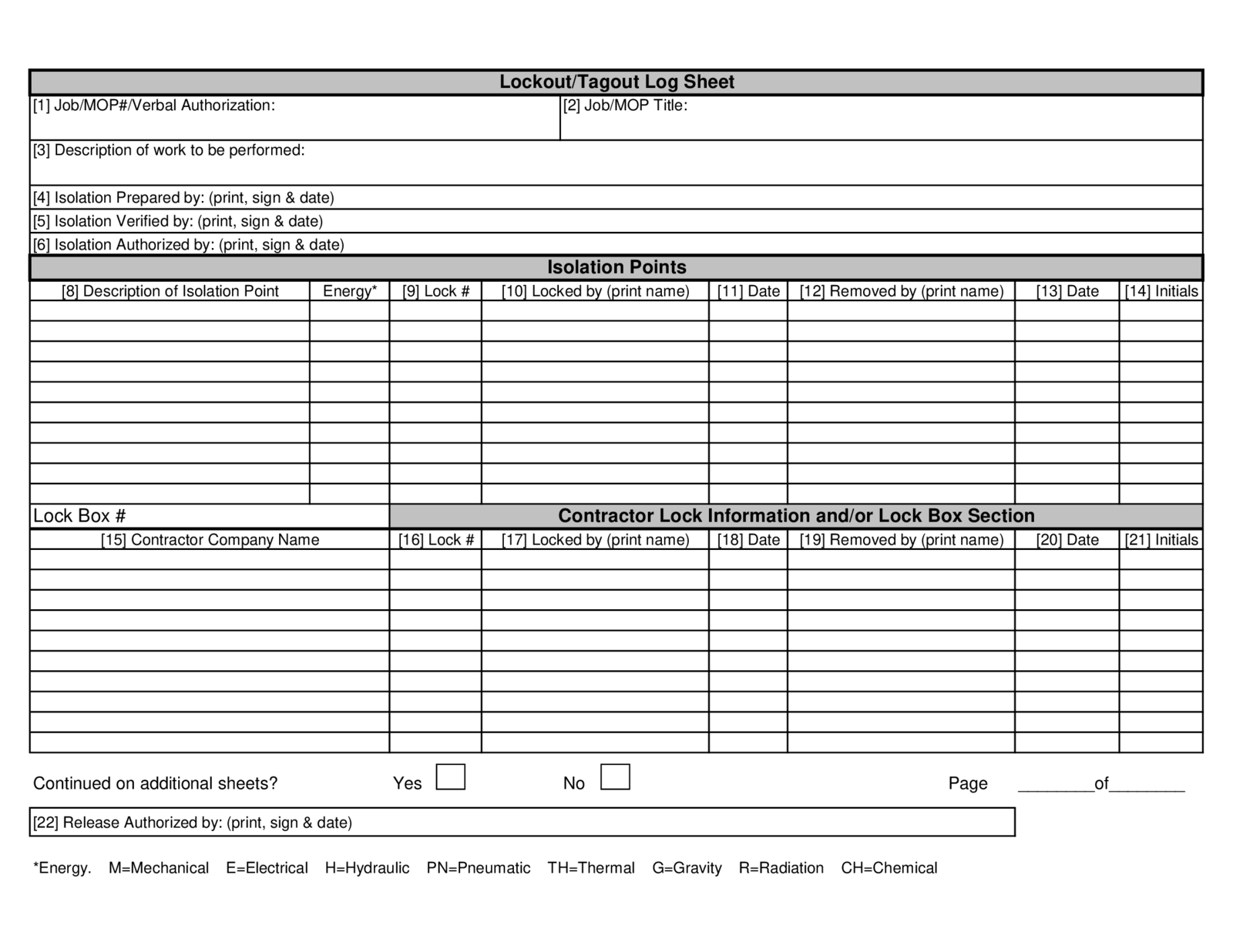
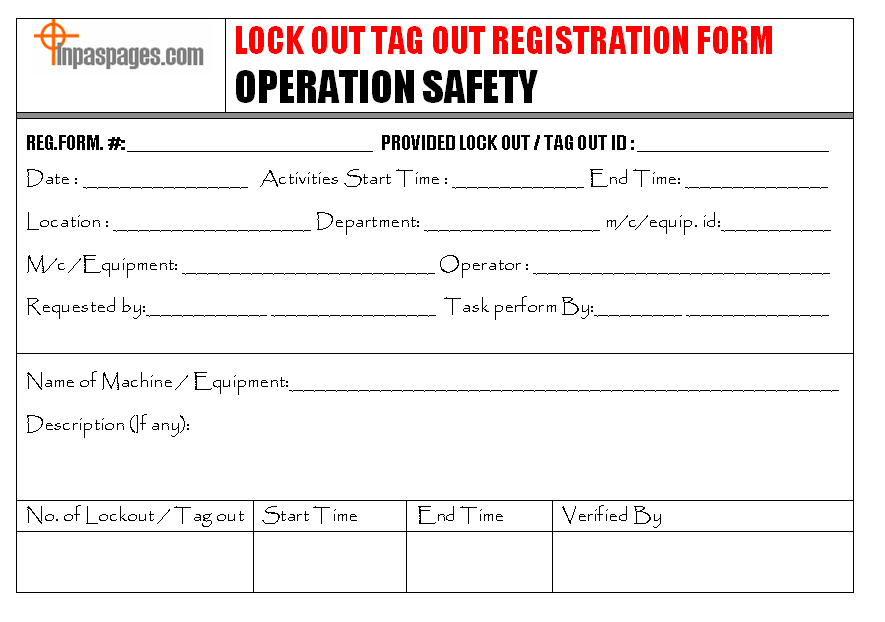
A well-designed log form includes: - Date and time of lockout initiation and release - Equipment ID or name being serviced - Name and ID of authorized employee applying the lock - Type of energy sources isolated (e.g., electrical, mechanical) - Description of maintenance task - Sign-off fields for both application and removal - Witness or supervisor verification (optional but recommended)
Leaving any of these out creates gaps in traceability—a red flag during OSHA inspections.
Why the LOTO Log Form Is Critical for Compliance
OSHA standard 29 CFR 1910.147 requires employers to implement a written energy control program, including documentation of each servicing event. The log form is the physical manifestation of this requirement.
Real-World Consequences of Missing Logs
Consider a manufacturing plant where a technician services a conveyor belt without logging the lockout. Another worker, unaware of the maintenance, re-energizes the system. The result? Severe injury and a $150,000 OSHA fine.
This isn’t hypothetical. In 2022, a food processing facility was cited for failing to maintain LOTO logs—despite having locks and tags in place. The absence of documentation invalidated their entire safety protocol.
Audit Readiness Starts
with the Log
During an OSHA inspection, auditors don’t just ask to see your LOTO policy—they demand proof it’s followed. The log form is that proof.
Companies that maintain consistent, accurate logs: - Reduce incident rates by up to 60% - Pass compliance audits with fewer deficiencies - Build a culture of accountability
Without a log, you’re effectively operating blind.
Common Mistakes That Undermine LOTO Log Effectiveness
Even facilities with log forms often make critical errors that negate their value.
1. Incomplete Entries

Leaving fields blank—especially the “reason for lockout” or employee ID—renders the log useless. If an accident occurs, investigators cannot reconstruct the sequence of events.
Fix: Train employees to treat the log like a legal document. No shortcuts.
2. Generic Equipment Names
Writing “machine in Room 3” instead of “Hydraulic Press Model HP-200, Serial #XK987” creates ambiguity.
Fix: Use precise identifiers. Include asset numbers or barcodes when possible.
3. Delayed or Retroactive Logging
Filling out the form after the fact leads to inaccuracies. Memory fades. Details get lost.
Fix: Require real-time logging. Use mobile forms if paper-based systems slow workers down.
4. No Verification Process
A log signed only by the technician lacks oversight. Supervisors should review and countersign high-risk isolations.
Fix: Build a two-tier sign-off process for critical systems.
How to Design a Practical LOTO Log Form
A good form balances compliance and usability. If it’s too complex, workers avoid it. If it’s too simple, it fails regulation.
Recommended Structure
| Field | Purpose |
|---|---|
| Date/Start Time | Timestamp of lock application |
| Equipment ID | Unique identifier (name, number, location) |
| Authorized Employee | Full name and employee ID |
| Energy Sources Isolated | Check all that apply: electrical, hydraulic, etc. |
| Task Description | Brief but specific (e.g., “Replace drive belt”) |
| Lock Number | Matches physical lock used |
| Tags Applied | Yes/No + tag ID if applicable |
| Supervisor Review | Optional sign-off for high-risk tasks |
| Release Time & Signature | When lock was removed and by whom |
Paper vs. Digital: Which Works Better?
While paper forms are still common, digital LOTO logs are gaining traction—especially in facilities with mobile workforces or high equipment turnover.
Paper Pros: Low cost, no tech required Paper Cons: Prone to damage, hard to search, no real-time alerts
Digital Pros: Automated timestamps, cloud backup, audit trails, integration with CMMS Digital Cons: Requires training, initial setup cost
For most modern operations, digital is the smarter long-term play.
Top 5 Digital LOTO Log Solutions For teams ready to upgrade from paper, these platforms offer robust LOTO log management:
- Fiix by Rockwell Automation
- - Cloud-based CMMS with integrated LOTO workflows
- - Customizable digital forms, real-time tracking
- - Best for: Mid to large manufacturers
- MaintainX
- - Mobile-first platform with LOTO checklist templates
- - Offline access, photo uploads, team messaging
- - Best for: Field technicians and distributed teams
- eWorkOrders
- - Combines work orders with LOTO documentation
- - Barcode scanning for equipment ID
- - Best for: Facilities with legacy systems
- Limble CMMS
- - Intuitive interface, automated reminders
- - Direct integration with safety management modules
- - Best for: Small to mid-sized operations
- SpheraCloud EHS
- - Enterprise-grade with audit trail and compliance reporting
- - AI-powered risk assessment linkage
- - Best for: Heavy industry and regulated environments
Each of these turns the LOTO log form from a passive record into an active safety tool.
Real-World Use Cases: When the Log Form Saves the Day
Case 1: Preventing Cascading Failures
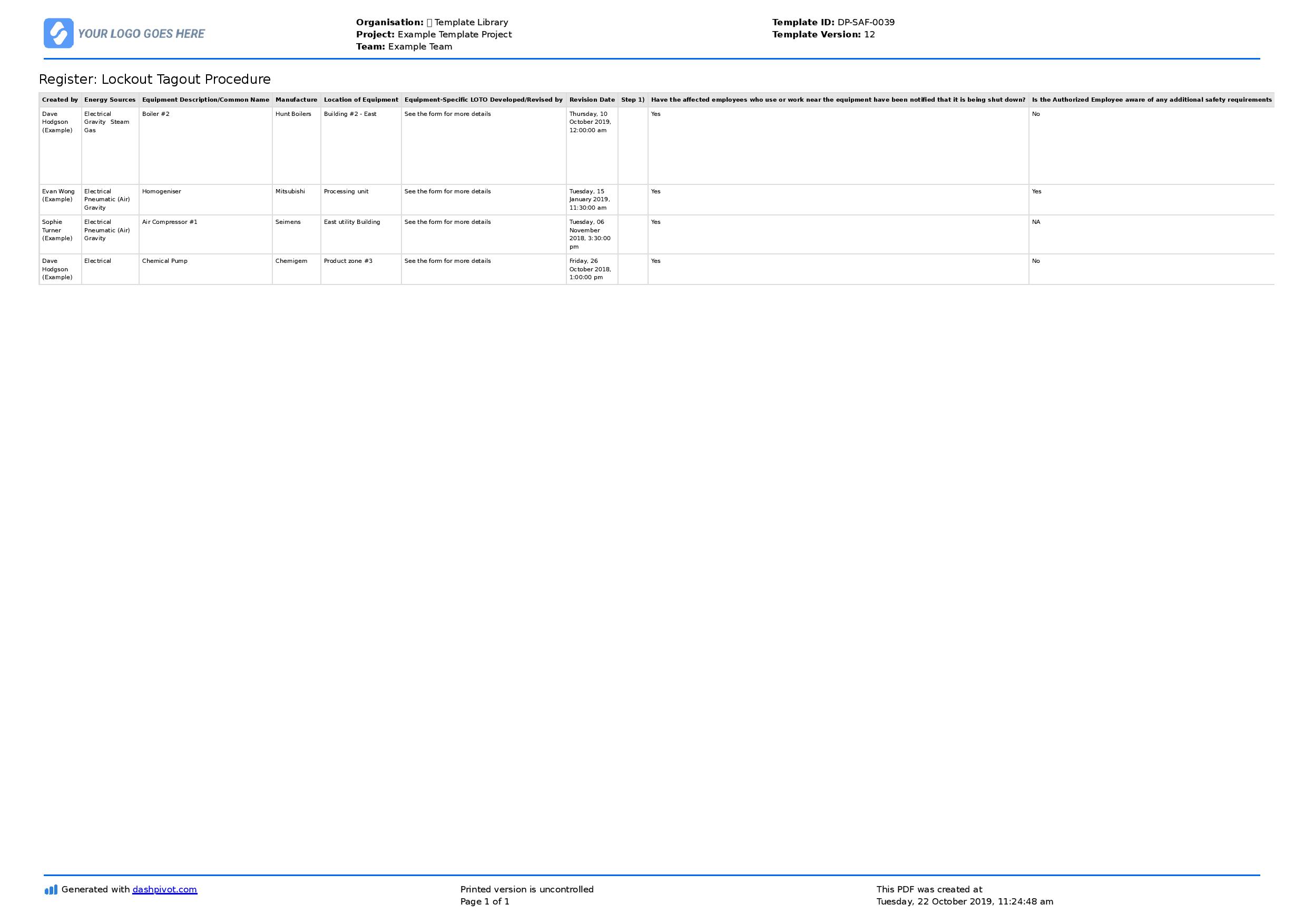
At a chemical plant, a maintenance team isolated a reactor for valve replacement. The LOTO log clearly showed three locks applied—two electrical, one pneumatic. Before restart, the shift supervisor reviewed the log and noticed one lock had not been removed. A technician was still inside. The log prevented a potentially fatal startup.
Case 2: Resolving a Blame Game After an Incident
After an arc flash during panel maintenance, OSHA investigators reviewed the LOTO log. The form showed that only one lock was applied—by an unqualified employee. The log confirmed a policy violation, leading to targeted retraining, not fines, due to transparent documentation.
These aren’t edge cases. They’re daily validations of the log’s importance.
Integrating the LOTO Log into Daily Operations
The best forms fail if they’re treated as an afterthought. Integration is key.
Workflow Tips
- Place forms at point of use – Attach to lockout stations or include in work order packets
- Train during onboarding – New hires should complete a mock LOTO log during safety training
- Audit logs monthly – Supervisors should spot-check 10% of logs for completeness
- Link to work orders – In CMMS systems, make the LOTO log a required step before closing a ticket
- Use visual cues – Color-code forms by department or risk level
A log that’s easy to use and hard to ignore becomes part of the safety culture.
Closing: Make the LOTO Log Form a Living Document
The lock out tag out log form isn’t compliance paperwork—it’s a frontline safety instrument. It protects workers, preserves operational integrity, and proves due diligence when it matters most.
Don’t let it gather dust in a binder. Design it with clarity, enforce it with consistency, and treat every entry as if a life depends on it—because it does.
Start today: Audit your current log form. Is it complete? Is it used? Is it trusted? If not, revise it, retrain your team, and lock in better safety outcomes.
FAQ
What should be included in a lock out tag out log form? A complete log includes the date, time, equipment ID, technician name, energy sources isolated, task description, lock number, and sign-offs for application and removal.
Is a LOTO log form required by OSHA? Yes. OSHA 1910.147 mandates documentation of each energy control procedure application, which the log form fulfills.
Can digital forms replace paper LOTO logs? Absolutely. Digital logs are often more reliable, offering real-time updates, backups, and integration with maintenance systems.
Who is responsible for filling out the LOTO log? The authorized employee performing the lockout must complete the form, though supervisors may review or countersign.
How long should LOTO logs be kept? OSHA recommends retaining logs for at least one year, though high-risk industries often keep them for three or more.
Can multiple people work under one LOTO log entry? Yes, but each worker must apply their own lock and be listed individually on the log.
What happens if a LOTO log is incomplete? An incomplete log can invalidate the entire lockout process during an audit and may contribute to incident investigations or citations.
FAQ
What should you look for in Lock Out Tag Out Log Form Essentials for Safety Compliance? Focus on relevance, practical value, and how well the solution matches real user intent.
Is Lock Out Tag Out Log Form Essentials for Safety Compliance suitable for beginners? That depends on the workflow, but a clear step-by-step approach usually makes it easier to start.
How do you compare options around Lock Out Tag Out Log Form Essentials for Safety Compliance? Compare features, trust signals, limitations, pricing, and ease of implementation.
What mistakes should you avoid? Avoid generic choices, weak validation, and decisions based only on marketing claims.
What is the next best step? Shortlist the most relevant options, validate them quickly, and refine from real-world results.